The core answer: official dimensions by jurisdiction
If you are preparing a visa application or passport renewal, submitting the wrong photo dimensions is the single most frequent reason for bureaucratic rejection. Dimensions vary significantly across jurisdictions:
- United States:
2 x 2 inches (51 x 51 mm). Head height from chin to top of hair must measure between1 inch and 1 3/8 inches (25–35 mm). Plain white background. Eyeglasses are strictly forbidden. - Schengen Area (EU) & United Kingdom:
35 x 45 mm. Head height must occupy32 to 36 mm (70%–80%)of the vertical frame. Light grey or plain off-white background. Neutral expression with closed mouth. - Canada:
50 x 70 mm. Head height between31 and 36 mm. White or light-coloured background. Back of one photo must include the photographer’s studio stamp and date taken. - India (Passport & OCI):
2 x 2 inches (51 x 51 mm)for physical submissions;35 x 45 mmfor online passport portals. Plain white background.
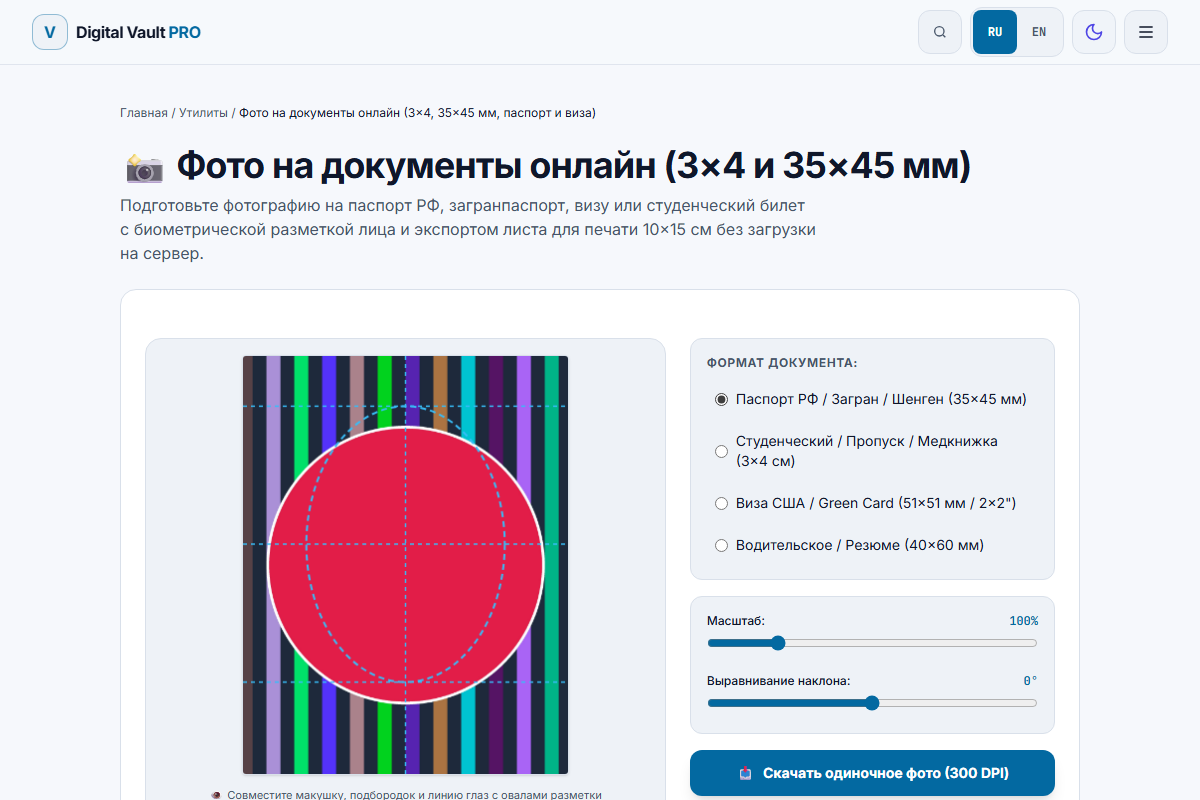
Figure 1: In-browser Passport Photo Maker showing biometric alignment grid (chin and crown guides), zoom sliders, and rotation adjustments.
Official government specifications table (verified 2026)
| Country / Region | Dimensions | Head Proportion | Background | Official Authority |
|---|---|---|---|---|
| United States | 2 x 2 in (51 x 51 mm) | 50%–69% (25–35 mm) | Plain white / Off-white | travel.state.gov (US State Dept) |
| Schengen Area (EU) | 35 x 45 mm | 70%–80% (32–36 mm) | Light grey or light blue (pure white prohibited in France & Germany) | France Service-Public / Germany BMI |
| United Kingdom | 35 x 45 mm | 64%–75% (29–34 mm) | Plain cream or light grey (pure white prohibited) | gov.uk (HM Passport Office) |
| Australia | 35 x 45 mm | 71%–79% (32–36 mm) | Plain white or light grey | passports.gov.au (Aus Passport Office) |
How to take a biometric passport photo at home
You do not need an expensive photography studio. A modern iPhone, Pixel, or Galaxy phone produces optical resolution that far exceeds embassy scanner requirements. Follow these four rules:
1. Lighting: natural daylight facing a window
Stand approximately 1.5 to 2 meters (5–6 feet) away from a large window during the day. Let soft, diffused natural daylight illuminate both sides of your face equally. Avoid direct overhead kitchen spotlights, which cast harsh dark triangles beneath your eyes and nose.
2. Camera setup: never take a handheld selfie
Holding the phone in your outstretched hand triggers wide-angle lens distortion (making your nose look 20% larger and ears appear receded). Ask a friend or family member to hold the phone, or mount it on a tripod at exact eye level. Stand 1.5 to 2 meters back and zoom in slightly (1.5x–2x optical telephoto) to flatten facial perspective naturally.
3. Background: smooth wall, no shadows
Stand approximately 0.5 meters (1.5 feet) in front of a smooth, plain white or light-grey wall. Stepping forward away from the wall ensures your head casts no visible shadows behind you.
4. Dress code and appearance rules
- No eyeglasses: Even if you wear glasses daily, take them off for the photo. US, UK, and Schengen consulates reject photos with anti-reflective lens glare or frames partially covering the iris.
- Contrast your shirt: Wear dark or colored clothing (navy blue, dark green, black). If you wear a white t-shirt against a white wall, your shoulders blend into the background, causing automated border gates to reject the image.
- Hair: Tuck hair behind your ears or shoulders so both eyebrows, eyes, and the outline of your jawline are clearly visible.
- No digital beauty retouching: Automated facial recognition software checks pore structure and subtle skin landmarks. Applying filters or AI skin-smoothing tools is considered document tampering and will lead to application cancellation.
How to crop and generate a 4 x 6" print sheet
Commercial photo booths and retail pharmacy chains charge $15 to $20 for two passport photos because they know applicants are in a rush. You can bypass this fee completely:
- Open our free Passport Photo Maker.
- Select your target format (e.g. US 2x2" (51x51 mm) or Standard Biometric 35x45 mm).
- Adjust the zoom and alignment slider until your chin touches the lower guide oval and the crown of your hair aligns with the top guide oval.
- Click Download 4x6" Print Sheet. The tool generates a high-resolution 1200 x 1800 pixel image (300 DPI) containing 6 identical passport photos with cutting guide marks.
- Send that 4x6" image file to Walgreens, CVS, Walmart, or any local photo lab as a standard 4x6" photo print (which costs around $0.25 to $0.40). Pick it up and trim the photos with a pair of scissors.
Digital upload requirements (DS-160 visa & online renewals)
If you are applying online through web portals (such as the US DS-160 visa system or State Department online passport renewal):
- Square aspect ratio: Exactly 1:1 ratio. Minimum 600 x 600 pixels; maximum 1200 x 1200 pixels.
- File format: JPEG format in standard sRGB color space.
- File weight: Must be under 240 KB for US visas. If your image is over 240 KB, run it through our Image Compressor to hit the target weight without losing pixel dimensions.
Honest limitations: when you cannot use home photos
While self-made photos work for visa applications, driving licenses, student IDs, and ordinary 5-year passports, certain countries enforce closed in-person capture systems:
- Biometric 10-year Passports (Russia, certain EU states): Government branches use dedicated 2D/3D hardware biometrics booths inside the police or ministry building. You can use your home photo to submit the preliminary online form, but the final chip photo is taken in person.
- Babies under 1 year old: Capturing infant passport photos requires laying the baby on a white sheet from above with no adult hands visible. Consulates allow infants to have their eyes partially open or mouth slightly parted, but head tilt requirements remain strict.
Frequently asked questions
Can I take a passport photo with my smartphone at home?
Yes, official government agencies (including the US Department of State and UK HM Passport Office) accept photos taken on smartphones, provided they meet exact lighting, dimension, and background specifications. You must stand facing a natural light source (like a window), use the rear camera at eye level (never a wide-angle arm selfie), and maintain a neutral facial expression.
Why are eyeglasses forbidden in US passport photos?
The US Department of State updated its regulations to prohibit eyeglasses in 2016 because lens reflections, frame shadows, and optical glare frequently obstruct the iris and pupil, causing biometric facial recognition systems at border control gates to fail.
What is the standard passport photo size for the US vs Europe?
The United States requires 2 x 2 inches (51 x 51 mm) with a head height between 1 and 1 3/8 inches (25 to 35 mm). The Schengen Area, United Kingdom, and European countries require 35 x 45 mm with a head height of 32 to 36 mm (70-80% of photo height).
How do I print passport photos cheaply at home or at a pharmacy?
Never order standard "Passport Photo Services" at pharmacies (which charge $15 to $18 for two small cuts). Instead, use our tool to generate a standard 4 x 6 inch (10 x 15 cm) print sheet containing 6 identical 2x2" or 35x45mm photos. Print that 4x6" sheet as an ordinary photo print for around $0.35 at any photo kiosk, then cut them with a ruler and hobby knife.
Can I smile in my passport photo?
Most countries require a neutral facial expression with both eyes open and mouth closed. The US Department of State permits a "natural, unexaggerated smile," but forbids wide grins that squint the eyes or show excessive teeth. Schengen visa rules strictly enforce closed mouths and neutral expressions.
What background color should I use?
The US requires plain white or off-white. The UK and Schengen countries prefer light grey or cream. Avoid pure white in Europe if you have blonde hair or a white shirt, as border scanners require distinct edge contrast around your head and shoulders.