The core answer: how chmod octal math works
When you run a command like chmod 755 index.php, you are passing three distinct permission values to the Linux kernel: the first digit applies to the Owner (User), the second digit to the Group, and the third digit to Others (everyone else on the system).
Each digit is calculated by adding three base weights:
- Read (r) = 4
- Write (w) = 2
- Execute (x) = 1
- No Permission (-) = 0
Because 4, 2, and 1 are powers of two (binary 100, 010, 001), any combination yields a unique number between 0 and 7. For example, 4 + 2 + 1 = 7 represents full rights, while 4 + 0 + 1 = 5 represents read and execute only.
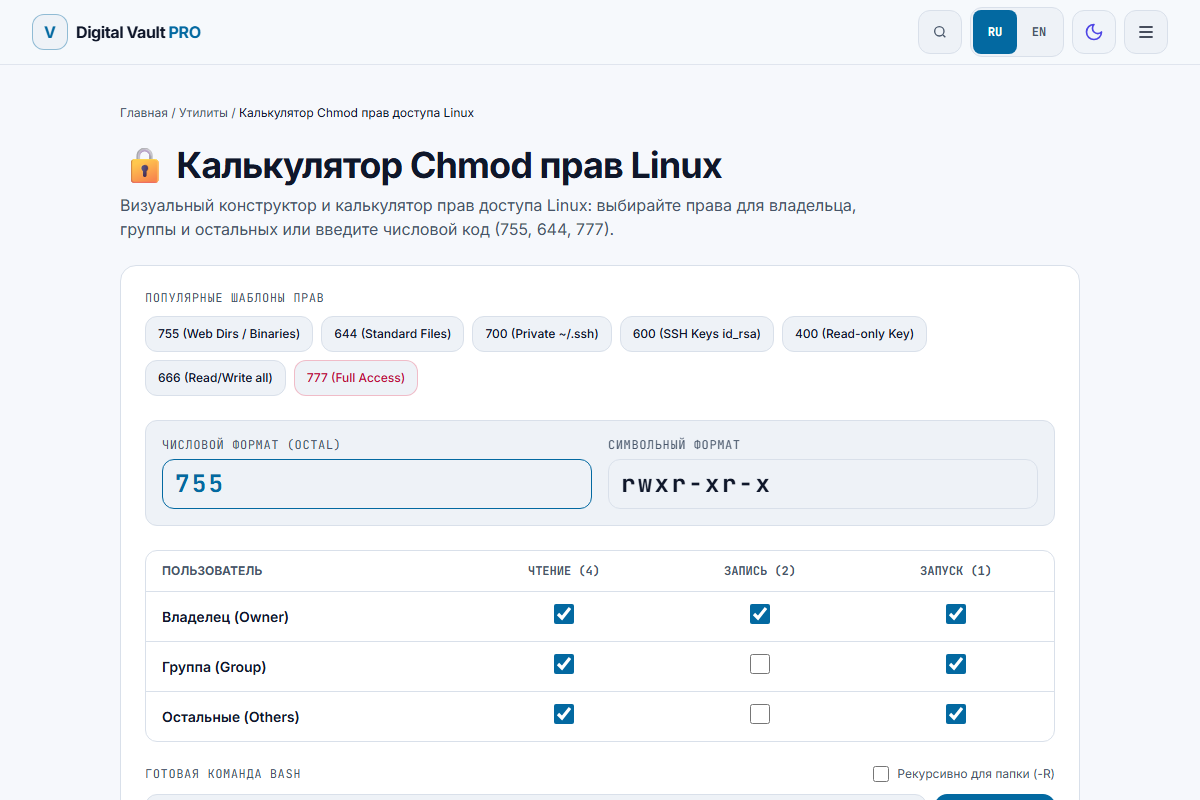
Figure 1: Chmod 755 representation in our interactive calculator: Owner has Read/Write/Execute, Group and Others have Read/Execute.
The Big Three: 755, 644, and 600 explained
1. Chmod 755 (rwxr-xr-x) — Directories and executable scripts
755 is the industry standard for Linux folders (like /var/www/html) and standalone binaries.
- Owner (7 = 4+2+1): Can read, modify, and execute/traverse.
- Group (5 = 4+0+1): Can read and execute/traverse, but cannot modify files.
- Others (5 = 4+0+1): Can read and execute/traverse, but cannot modify files.
Crucial Linux detail: On directories, the execute bit (x) does not mean "running a program". It represents traversal rights. If a directory lacks execute permissions (e.g. 644), users and web server daemons (such as www-data or nginx) cannot enter the directory (via cd) or access files inside it, even if the files themselves have read permissions.
2. Chmod 644 (rw-r--r--) — Static web files and documents
644 is the universal baseline for standard files: HTML documents, CSS stylesheets, images, and config files.
- Owner (6 = 4+2+0): Can read and write (edit) the file.
- Group (4 = 4+0+0): Can only read the file.
- Others (4 = 4+0+0): Can only read the file.
Because static documents should never be executed as programs by the CPU, the execute bit is omitted (0). This prevents malicious users from tricking the system into running an uploaded JPG or text file as a script.
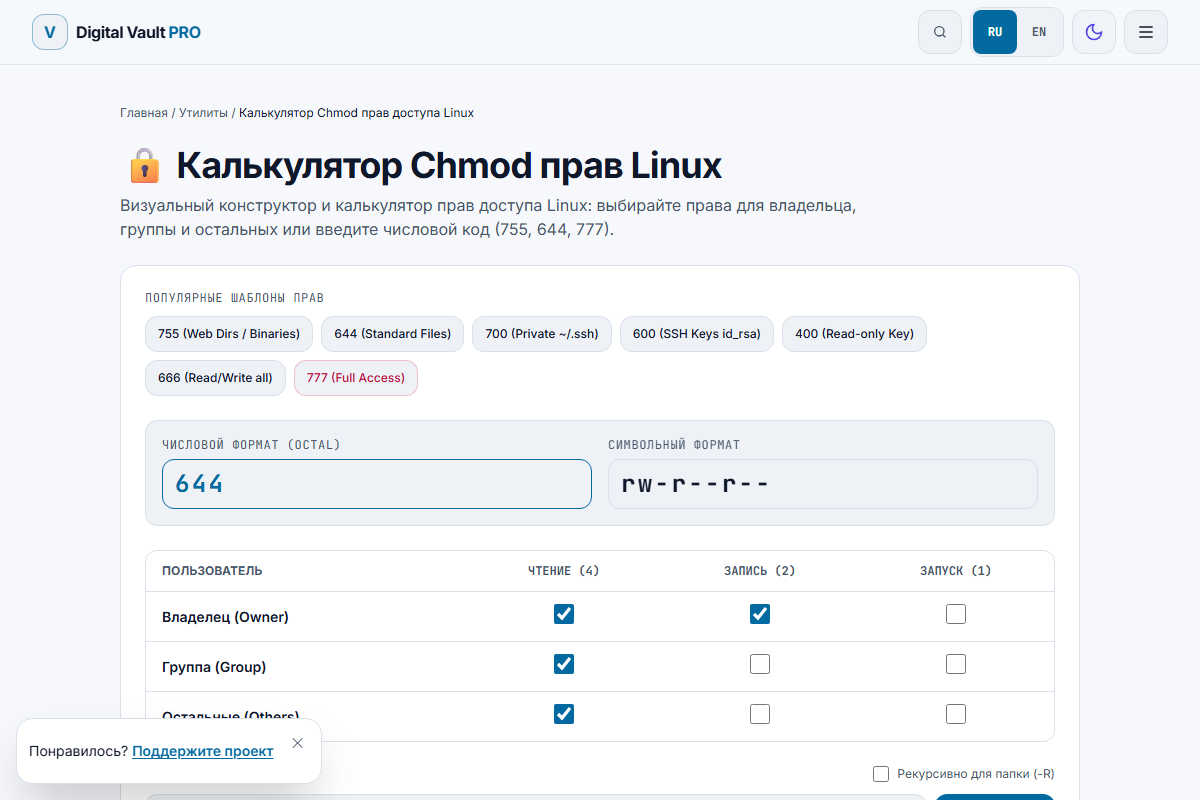
Figure 2: Chmod 644 breakdown: Owner read/write, Group read-only, Others read-only.
3. Chmod 600 (rw-------) — Secrets, SSH keys, and credentials
600 isolates sensitive files completely from anyone other than the primary owner.
- Owner (6 = 4+2+0): Full read and write access.
- Group (0): Zero access.
- Others (0): Zero access.
Use chmod 600 on your ~/.ssh/id_rsa private keys, .env files containing database passwords, and API key stores. If your SSH private key permissions are set to 644 or 755, OpenSSH clients will refuse to authenticate and print:
@@@@@@@@@@@@@@@@@@@@@@@@@@@@@@@@@@@@@@@@@@@@@@@@@@@@@@@@@@@
@         WARNING: UNPROTECTED PRIVATE KEY FILE!          @
@@@@@@@@@@@@@@@@@@@@@@@@@@@@@@@@@@@@@@@@@@@@@@@@@@@@@@@@@@@
Permissions 0644 for '/home/user/.ssh/id_rsa' are too open.
It is required that your private key files are NOT accessible by others.
Fix it instantly with: chmod 600 ~/.ssh/id_rsa.
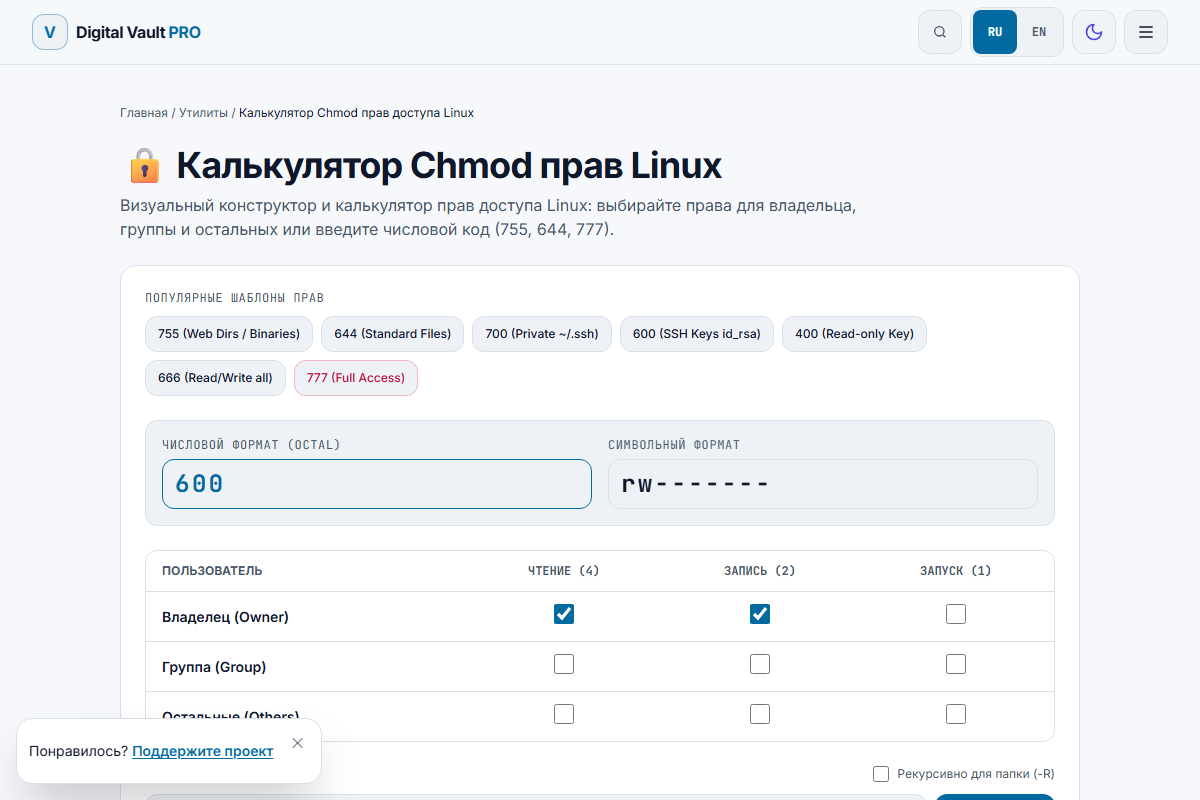
Figure 3: Chmod 600: strictly isolated file access for private credentials.
Why chmod 777 is a dangerous antipattern
When a developer encounters a "Permission Denied" error on a web server or WordPress upload directory, a frequent temptation is running chmod -R 777 wp-content/.
Chmod 777 gives Read, Write, and Execute authority to every single account and daemon on the operating system. If any website hosted on that server is compromised, or if a vulnerability in a third-party library allows arbitrary file uploads, an attacker can directly upload a PHP script into that 777 folder, execute it via HTTP, and gain remote shell access.
The proper fix for "Permission Denied": Instead of changing permissions to 777, fix the ownership of the directory so that the web server user owns it:
# On Ubuntu/Debian (Nginx / Apache):
sudo chown -R www-data:www-data /var/www/html/uploads

# Keep permissions standard:
find /var/www/html/uploads -type d -exec chmod 755  +
find /var/www/html/uploads -type f -exec chmod 644  +
Permissions quick reference table
| Octal | Symbolic | Common Usage | Security Risk |
|---|---|---|---|
| 755 | rwxr-xr-x | Directories, bash scripts, binaries | Low (Standard) |
| 644 | rw-r--r-- | HTML, images, stylesheets, documents | Low (Standard) |
| 600 | rw------- | SSH private keys, .env, DB configs | Secure (Private) |
| 700 | rwx------ | Personal ~/.ssh directory, private scripts | Secure (Private) |
| 666 | rw-rw-rw- | Shared serial ports or temp buffers | Medium (Writable by all) |
| 777 | rwxrwxrwx | Testing sandbox only | Critical (Do not use) |
Special permissions: SUID, SGID, and Sticky Bit
In addition to basic three-digit permissions, Unix filesystems support an optional leading fourth digit:
- SUID (4000): When an executable with SUID is run, it executes with the privileges of the file owner rather than the caller (e.g.,
/usr/bin/passwdruns as root so standard users can update their password hash). - SGID (2000): New files created inside an SGID directory inherit the group ownership of that directory rather than the primary group of the creator. Highly useful for collaborative shared developer folders.
- Sticky Bit (1000): Applied to
/tmp(permissions1777orrwxrwxrwt). While everyone can create files in/tmp, only the owner of a file (or root) can delete it.
Try the interactive calculator
If you want to quickly convert permissions without doing manual binary math, use our free Chmod Calculator. Toggle checkboxes to see the octal string update in real time, or type an octal code to inspect the exact symbolic flags.
Frequently asked questions
What does chmod 755 mean in plain English?
Chmod 755 grants Read, Write, and Execute permissions to the file owner (7 = 4+2+1), and Read and Execute permissions to both the group and all other users (5 = 4+0+1). In symbolic notation, this is rwxr-xr-x. It is the universal standard for Linux web directories and executable scripts.
Why do directories need execute (x) permissions in Linux?
In Linux file systems, the execute bit on a directory controls traverse rights. Without the execute permission (x), you cannot enter the folder using the cd command, nor can a web server (like Nginx or Apache) look up or read files inside that folder, even if the files themselves have read permissions (644).
What is the difference between chmod 755 and 644?
Chmod 755 allows execution (running binaries or entering directories), making it ideal for folders and scripts. Chmod 644 (rw-r--r--) provides Read and Write to the owner, but only Read access to everyone else with no execution rights, making it the secure standard for static files, HTML, CSS, and images.
Why does SSH refuse connections with "Permissions are too open"?
OpenSSH clients enforce strict security checks on private key files (~/.ssh/id_rsa). If your private key has permissions looser than 600 (such as 644 or 755), other local accounts could read your private credential. SSH will abort with the error "WARNING: UNPROTECTED PRIVATE KEY FILE!". Running chmod 600 ~/.ssh/id_rsa fixes the issue.
Why is chmod 777 dangerous in web hosting and production?
Chmod 777 gives every user and process on the server unrestricted ability to read, modify, and delete the file. If an attacker exploits a file upload vulnerability or compromised CMS plugin, a 777 folder allows them to plant executable web shells, deface pages, or overwrite critical system scripts.
What is the Sticky Bit (chmod 1777)?
The sticky bit (indicated by a leading 1 in octal or a "t" in symbolic notation) is applied to shared directories like /tmp. It allows all users to write new files to the directory, but prevents them from deleting or renaming files owned by other users.